Find viral content
before everyone else
Scan creator profiles on TikTok, Instagram Reels & YouTube Shorts. Sort by performance, download videos, and export your research — all from one Chrome extension.
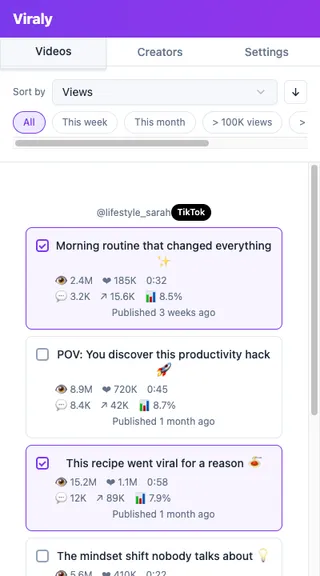
Everything you need for viral research
One extension. Three platforms. All the data you need to find what's going viral.
Scan Viral Content
Open any creator's profile and scan their posts. Viraly extracts views, likes, shares, and more in seconds.
Sort by Performance
Instantly rank videos by views, likes, or engagement ratio to find the top-performing content.
Download Videos
Download any video with one click — no watermarks, no third-party tools needed.
Export to Notion & CSV
Send your research data to Notion or download as CSV. Keep everything organized in your workflow.
Analyze Creators
Get an overview of any creator's account — average performance, posting frequency, and top content.
Install in 2 minutes
You're 2 minutes away from your first viral scan. No coding required — just download, unzip, and load.
Download & unzip
Click the Download button below to get the Viraly .zip file, then unzip it anywhere on your computer.
Open Chrome Extensions
Navigate to chrome://extensions and enable Developer mode in the top right corner.
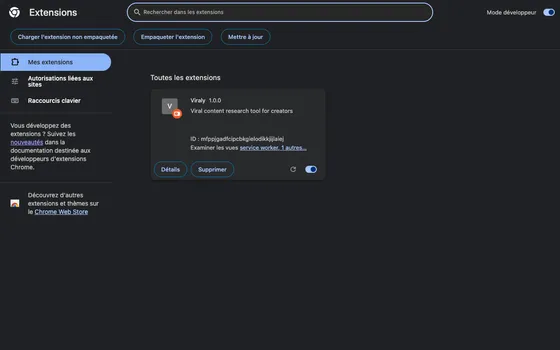
Load the extension
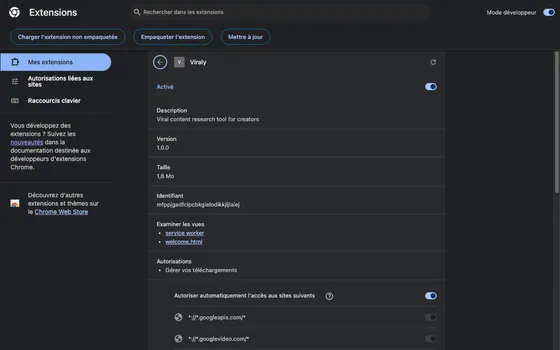
Click "Load unpacked" and select the unzipped Viraly folder. You'll see Viraly appear in your extensions list.
How it works
A simple workflow to find, save, and organize viral content from any creator.
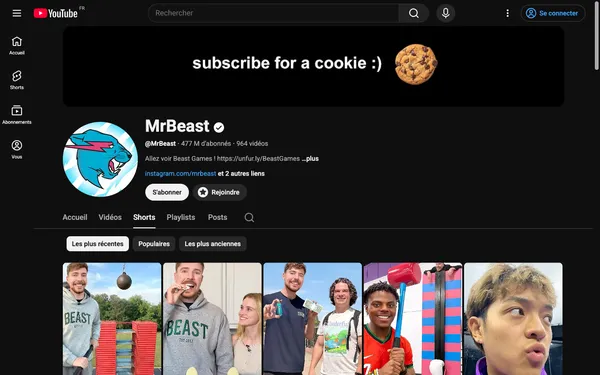
Scan a profile
Navigate to a creator's TikTok, Instagram, or YouTube profile and click "Scan" in the Viraly side panel.
Sort & filter
Sort videos by views, likes, or engagement ratio. Quickly spot the top performers.
Download videos
Select videos and click the download button. They save directly to your computer — no watermark.
Export your research
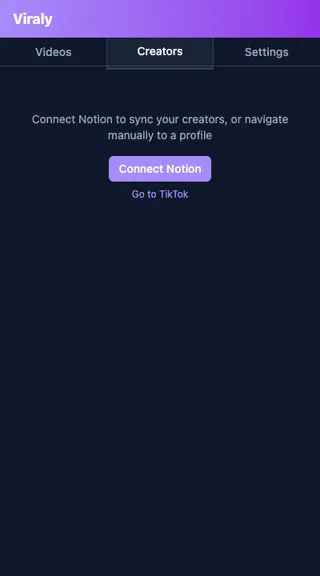
Export selected videos to Notion or download as CSV. Keep your research organized.
Connect your favorite tools
Viraly integrates with Google Drive and Notion so your workflow stays seamless.
Google Drive
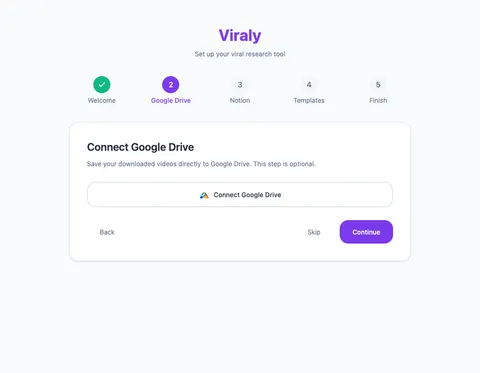
Connect your Google Drive to save downloaded videos directly to a folder of your choice.
- 1 Open the Viraly side panel
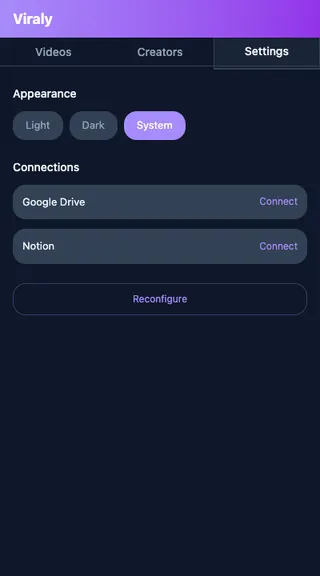
- 2 Go to Settings
- 3 Click "Connect Google Drive"
- 4 Authorize with your Google account
Notion
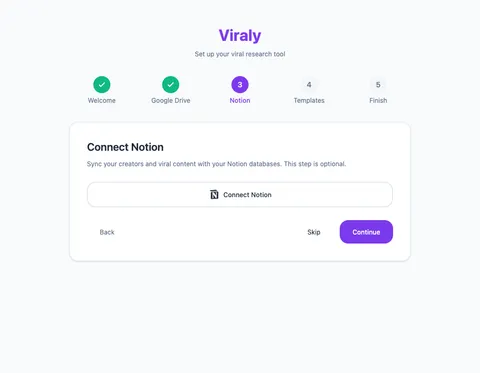
Connect Notion to export your research data as structured pages in your workspace.
- 1 Open the Viraly side panel
- 2 Go to Settings
- 3 Click "Connect Notion"
- 4 Select the workspace and pages to share
Ready to find viral content?
Download Viraly for free and start scanning in under 2 minutes.
Download Viraly